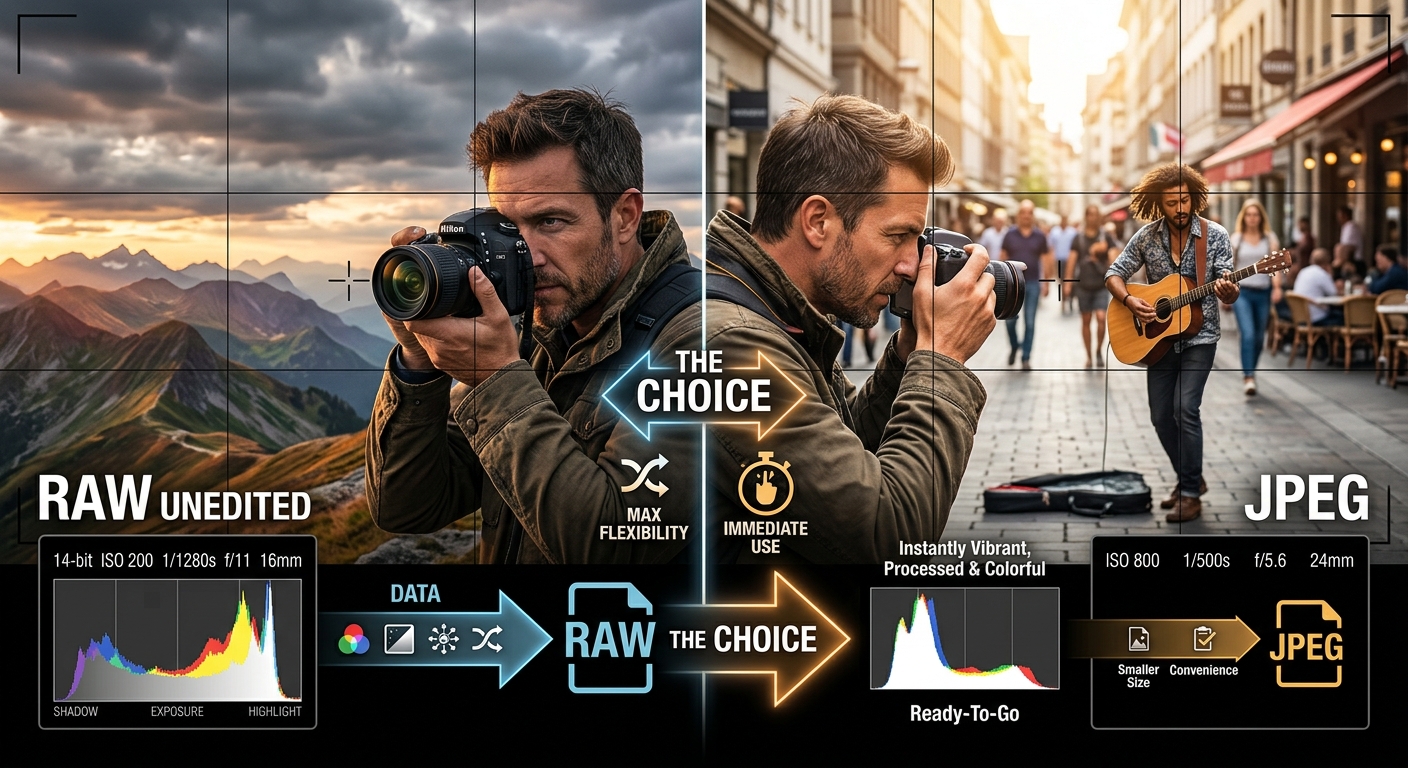
The argument never ends. RAW photographers look at JPEG shooters with mild concern. JPEG photographers look at RAW shooters and wonder why anyone would invite that much extra work. Both sides are partly right, and both are missing something. The format you choose is not about which one is better in the abstract. It is about which one fits the image you are making and what you plan to do with it afterward.
Get the decision right and your workflow flows. Get it wrong and you spend an afternoon trying to recover a wrecked exposure from a JPEG, or drowning under terabytes of RAW files you shot out of habit but never intended to edit.
Format Decision Essentials
- RAW files hold all the sensor data your camera captures, giving you maximum editing latitude before any processing decisions are locked in.
- JPEG is a finished-output format, not a compromise, and it makes complete sense when your camera's processing is good and your editing needs are minimal.
- Treating the format choice as part of your pre-shoot plan, rather than a setting you dialed in once and forgot, is what separates a smooth workflow from a frustrating one.
What RAW and JPEG Actually Do to Your Sensor Data
RAW is not a single file format. It is a category. Canon stores raw sensor data in CR3 files (or the older CR2). Nikon uses NEF. Sony uses ARW. Olympus uses ORF. Each is different at the bit level, but they share the same principle: the file contains the unprocessed, uncompressed (or losslessly compressed) readout from the sensor, with no baking-in of white balance, tone curves, sharpening, or color rendering decisions.
According to technical documentation on raw image files, a RAW file functions more like a digital negative than a finished photograph. The image you see in your editing software is a preview render. The actual file is raw sensor counts waiting for your interpretation.
JPEG works differently. The camera's internal processor applies all those decisions automatically, then compresses the result using lossy compression. Fine detail gets discarded based on psychovisual models that assume your eye will not notice the difference. You get a smaller file that looks great at a glance, but the information that was compressed away is permanently gone.
The Dynamic Range Gap That Shapes Every Editing Decision
Modern full-frame sensors can capture 13 to 15 stops of dynamic range under ideal conditions. A JPEG file can represent roughly 8 stops of usable information once the camera's tone curve is applied. Everything outside that window gets clipped to pure white or crushed to black.
RAW files retain most of what the sensor captured. In a high-contrast outdoor scene, that difference means you can recover blown highlights by two or three stops in post. You can lift deep shadows without losing color fidelity. You have room to correct an exposure that was off by a full stop in either direction without the image falling apart.
For any work where lighting is unpredictable or extreme, that latitude is not optional. It is the entire reason for choosing RAW.
Situations Where RAW Gives You What JPEG Cannot
Some genres of photography essentially require RAW files. Not because JPEG is bad, but because the nature of the work demands the editing flexibility RAW provides.
- Landscape photography in golden hour or twilight, where highlights and shadows coexist in the same frame
- Portrait retouching work where skin tone accuracy requires fine control in post
- Astrophotography and long-exposure night work, where aggressive noise reduction happens after capture
- Commercial and product photography where a client may request color corrections after delivery
- Any session involving compositing, where tonal consistency across frames must be matched in editing
In these cases, starting with JPEG means starting with your hands partially tied. You can work around it. Plenty of photographers do. But you will hit ceilings you would not hit with the RAW file from the same shot.
When JPEG Is Exactly the Right Call
Sports photography has always been a JPEG-forward discipline at the professional level. The workflow demands it. Wire photographers and sports editors at major outlets need images on servers within minutes of the final whistle. Shooting RAW would add a processing step that the timeline does not allow.
Street photography is another natural home for JPEG. If you have spent time dialing in your camera's picture profile and you trust your meter in the conditions you typically shoot in, the out-of-camera JPEG is already your finished image. Opening it in editing software is extra friction with no meaningful payoff.
- News, sports, and photojournalism where transmission speed outweighs editing latitude
- Street and documentary shooting where a well-configured JPEG profile produces the look you want straight from camera
- Travel photography on long trips where card space or backup storage is genuinely limited
- Event shooting where volume is high and per-image editing time is low
- Any situation where you do not plan to edit and the light is predictable and manageable
Storage, Buffer Depth, and the Real Cost of Shooting RAW by Default
A RAW file from a 45-megapixel full-frame camera can run 35 to 50 megabytes. A high-quality JPEG from the same sensor typically lands between 10 and 18 megabytes. That gap compounds fast across a full day of shooting.
A wedding photographer shooting 1,500 frames in RAW might end the day with 50 to 70 gigabytes of data. The same day shot in JPEG might produce 15 to 25 gigabytes. Multiply that across dozens of events and the storage cost becomes a real budget line.
Buffer depth matters too. Most cameras sustain RAW burst shooting until the buffer fills, then slow dramatically while data clears to the card. JPEG bursts run longer because each file is smaller. For fast action, that practical difference directly affects what you can capture during a critical moment.
How Good Your Camera's JPEG Engine Actually Is
This is the question most photographers skip, and it shapes the entire format decision more than any other variable.
Fujifilm bodies with Film Simulation modes produce JPEGs that many photographers actively prefer over processed RAW files. The color science is distinctive, thoughtfully developed, and difficult to replicate from Fujifilm's own RAW files in third-party software. For Fujifilm shooters specifically, JPEG is often not the lesser option at all. It is the intended output.
Entry-level bodies from any manufacturer tend to have JPEG engines that over-sharpen edges, smooth fine texture with aggressive noise reduction, and produce color that looks slightly artificial under close examination. For those cameras, processing RAW yourself almost always delivers a better file.
The only reliable way to know is to test. Shoot the same subject twice, once in RAW that you process with care, and once in JPEG with your preferred picture profile. Compare both at 100 percent. The gap, or lack of one, tells you exactly what your camera's engine can do.
A Format Decision Framework for Every Shoot
Running through a short mental checklist before any shoot takes less than a minute and removes the guesswork completely.
- Evaluate the light. If contrast is extreme or unpredictable, RAW gives you recovery room JPEG cannot match.
- Identify your editing intent. Major color work, retouching, or significant exposure correction all belong in RAW territory.
- Consider your output timeline. If images need to go out within the hour, JPEG or simultaneous RAW plus JPEG capture may serve you better.
- Check your storage situation. On a long trip with limited cards, the file size math may genuinely push you toward JPEG for certain days.
- Factor in your camera's JPEG quality. If you have tested it and trust it for the conditions you are shooting in, JPEG is a legitimate and deliberate choice.
Moving Finished RAW Edits Into a Deliverable Format
Editing in RAW does not mean delivering in RAW. Almost every final output context requires JPEG. Client galleries, social media platforms, print labs, and stock agencies all expect compressed image files, not raw sensor data.
The conversion step at the end of a workflow does not need to pull you back into a full editing suite. Once your files are processed and color-graded exactly where you want them, a dedicated tool for RAW to JPG batch conversion handles that final step without forcing you to revisit individual edits, which is genuinely useful when you are working through hundreds of files from a multi-day shoot and need to export everything at once.
The format you shoot in shapes what you start with. The format you export in shapes what the world actually sees. Both decisions deserve equal thought.
The Format That Fits the Job Is Always the Correct One
There is no single correct answer to RAW versus JPEG. There is only the answer that fits the specific light you are shooting in, the editing workflow you are running, the speed your output requires, and the quality your camera's JPEG engine can honestly deliver.
Thoughtful photographers treat each of those variables as inputs. They do not pick a format once and apply it to every situation. They pick the format that fits the job, and that deliberateness shows in the efficiency of the final workflow.
RAW is the starting point for serious editing. JPEG is the right output format in almost every delivery context, and sometimes the right capture format too. Knowing the difference for every situation you actually shoot in is what turns a collection of camera habits into a workflow you can depend on.